Linux Systems Administrator Resume

These Linux Systems Administrator resume samples are designed to help you write a resume that gets noticed by hiring managers and passes applicant tracking systems (ATS) in IT Support & Systems. Each example shows real formatting, section structure, and language you can adapt to your own background. When writing your own Linux Systems Administrator resume, focus on highlighting help desk & End-User support, active directory & group policy and windows / linux server administration. Recruiters scan for these qualifications first, so they should appear early in your summary and experience sections. Use strong action verbs such as "resolved", "administered", "configured", "deployed" to describe your achievements, and quantify your impact wherever possible — percentages, dollar amounts, or time saved make your resume more convincing. A common mistake to avoid: writing a generic objective statement instead of a targeted linux systems administrator professional summary. Tailor your resume to each Linux Systems Administrator position you apply for rather than using one generic version.

Linux Systems Administrator Resume Template
View PDF
0.0 (0 ratings)

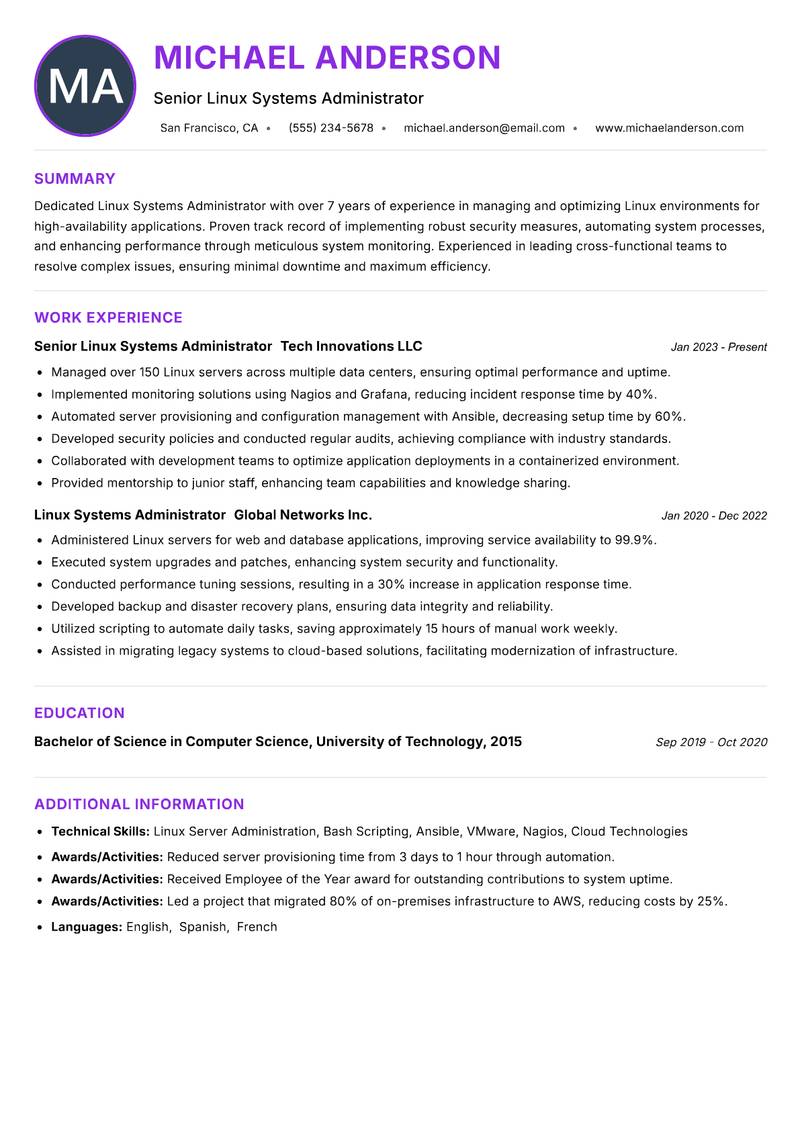
Senior Linux Systems Administrator Resume

Dedicated Linux Systems Administrator with over 7 years of experience in managing and optimizing Linux environments for high-availability applications. Proven track record of implementing robust security measures, automating system processes, and enhancing performance through meticulous system monitoring. Experienced in leading cross-functional teams to resolve complex issues, ensuring minimal downtime and maximum efficiency. Strong background in scripting and automation using Bash and Python, enabling significant reduction in manual workload. Adept at deploying and maintaining virtualized environments with VMware and KVM, ensuring scalability and reliability. Committed to continuous improvement and professional development, with a focus on cloud technologies and containerization.

Linux Server Administration Bash Scripting Ansible VMware Nagios Cloud Technologies
Linux Systems Administrator Resume Preview Example
View PDF
  1. Managed over 150 Linux servers across multiple data centers, ensuring optimal performance and uptime.
  2. Implemented monitoring solutions using Nagios and Grafana, reducing incident response time by 40%.
  3. Automated server provisioning and configuration management with Ansible, decreasing setup time by 60%.
  4. Developed security policies and conducted regular audits, achieving compliance with industry standards.
  5. Collaborated with development teams to optimize application deployments in a containerized environment.
  6. Provided mentorship to junior staff, enhancing team capabilities and knowledge sharing.
  1. Administered Linux servers for web and database applications, improving service availability to 99.9%.
  2. Executed system upgrades and patches, enhancing system security and functionality.
  3. Conducted performance tuning sessions, resulting in a 30% increase in application response time.
  4. Developed backup and disaster recovery plans, ensuring data integrity and reliability.
  5. Utilized scripting to automate daily tasks, saving approximately 15 hours of manual work weekly.
  6. Assisted in migrating legacy systems to cloud-based solutions, facilitating modernization of infrastructure.

Achievements

  • Reduced server provisioning time from 3 days to 1 hour through automation.
  • Received Employee of the Year award for outstanding contributions to system uptime.
  • Led a project that migrated 80% of on-premises infrastructure to AWS, reducing costs by 25%.
⏱️
Experience
2-5 Years
📅
Level
Mid Level
🎓
Education
Bachelor of Science in Compute...

Linux Systems Administrator Resume

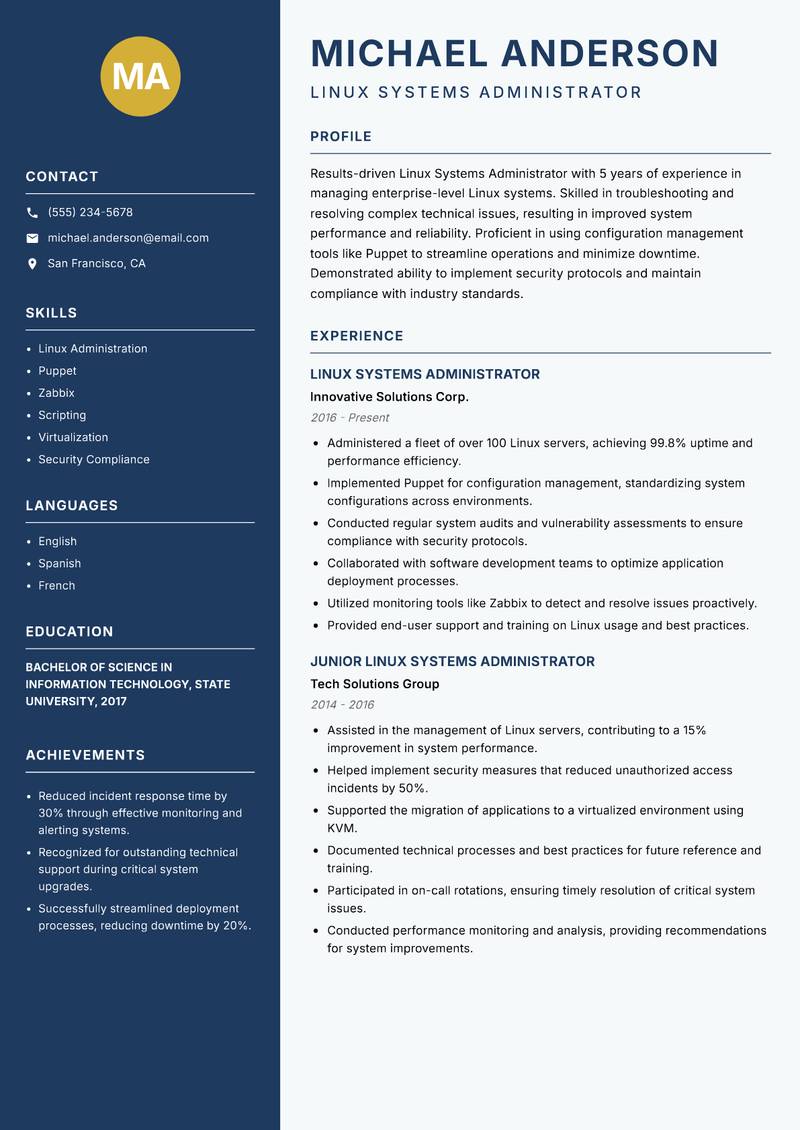
Experienced Linux Systems Administrator with 5 years of experience in managing enterprise-level Linux systems. Skilled in troubleshooting and resolving complex technical issues, resulting in improved system performance and reliability. Proficient in using configuration management tools like Puppet to streamline operations and minimize downtime. Demonstrated ability to implement security protocols and maintain compliance with industry standards. Passionate about leveraging automation and orchestration tools to enhance efficiency and reduce manual processes. Committed to continuous learning and staying abreast of the latest technologies to drive innovation within the organization.

Linux Administration Puppet Zabbix Scripting Virtualization Security Compliance
Linux Systems Administrator Resume Preview Example
View PDF
  1. Administered a fleet of over 100 Linux servers, achieving 99.8% uptime and performance efficiency.
  2. Implemented Puppet for configuration management, standardizing system configurations across environments.
  3. Conducted regular system audits and vulnerability assessments to ensure compliance with security protocols.
  4. Collaborated with software development teams to optimize application deployment processes.
  5. Utilized monitoring tools like Zabbix to detect and resolve issues proactively.
  6. Provided end-user support and training on Linux usage and best practices.
  1. Assisted in the management of Linux servers, contributing to a 15% improvement in system performance.
  2. Helped implement security measures that reduced unauthorized access incidents by 50%.
  3. Supported the migration of applications to a virtualized environment using KVM.
  4. Documented technical processes and best practices for future reference and training.
  5. Participated in on-call rotations, ensuring timely resolution of critical system issues.
  6. Conducted performance monitoring and analysis, providing recommendations for system improvements.

Achievements

  • Reduced incident response time by 30% through effective monitoring and alerting systems.
  • Recognized for outstanding technical support during critical system upgrades.
  • Successfully streamlined deployment processes, reducing downtime by 20%.
⏱️
Experience
2-5 Years
📅
Level
Mid Level
🎓
Education
Bachelor of Science in Informa...

Linux Systems Administrator Resume

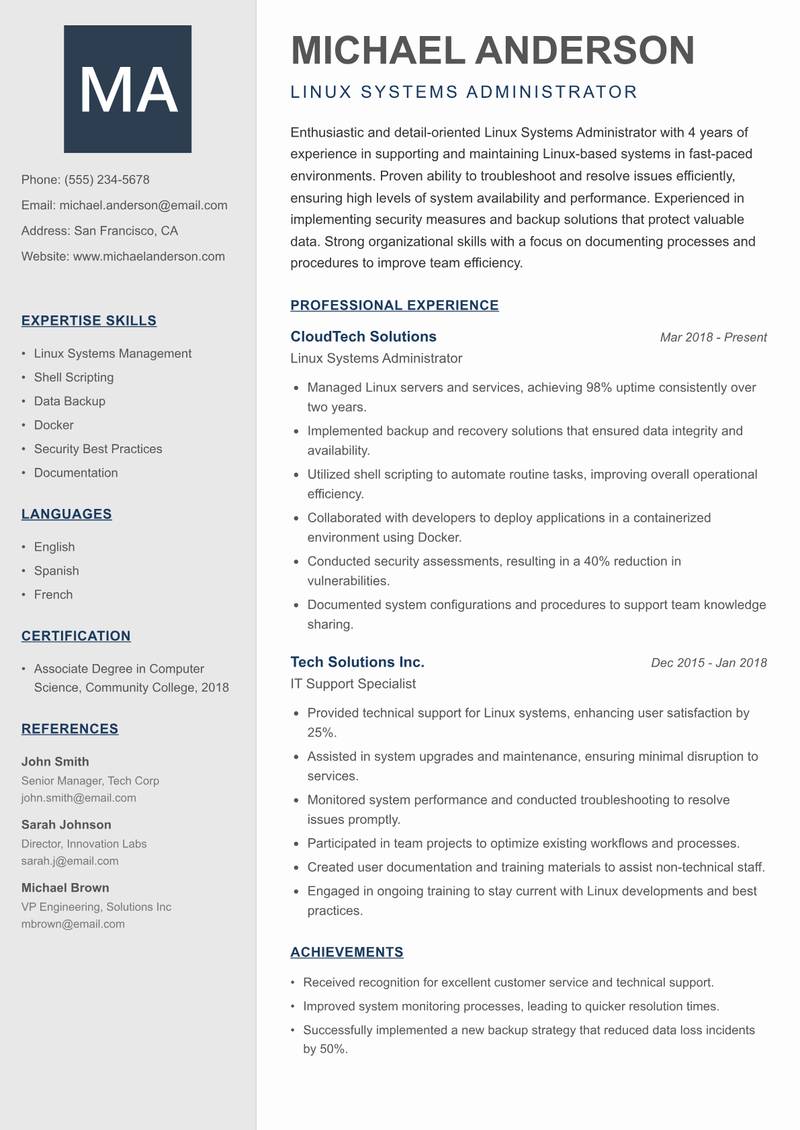
Enthusiastic and detail-oriented Linux Systems Administrator with 4 years of experience in supporting and maintaining Linux-based systems in fast-paced environments. Proven ability to troubleshoot and resolve issues efficiently, ensuring high levels of system availability and performance. Experienced in implementing security measures and backup solutions that protect valuable data. Strong organizational skills with a focus on documenting processes and procedures to improve team efficiency. Eager to leverage skills in automation and cloud technologies to contribute to innovative solutions in a dynamic organization.

Linux Systems Management Shell Scripting Data Backup Docker Security Best Practices Documentation
Linux Systems Administrator Resume Preview Example
View PDF
  1. Managed Linux servers and services, achieving 98% uptime consistently over two years.
  2. Implemented backup and recovery solutions that ensured data integrity and availability.
  3. Utilized shell scripting to automate routine tasks, improving overall operational efficiency.
  4. Collaborated with developers to deploy applications in a containerized environment using Docker.
  5. Conducted security assessments, resulting in a 40% reduction in vulnerabilities.
  6. Documented system configurations and procedures to support team knowledge sharing.
  1. Provided technical support for Linux systems, enhancing user satisfaction by 25%.
  2. Assisted in system upgrades and maintenance, ensuring minimal disruption to services.
  3. Monitored system performance and conducted troubleshooting to resolve issues promptly.
  4. Participated in team projects to optimize existing workflows and processes.
  5. Created user documentation and training materials to assist non-technical staff.
  6. Engaged in ongoing training to stay current with Linux developments and best practices.

Achievements

  • Received recognition for excellent customer service and technical support.
  • Improved system monitoring processes, leading to quicker resolution times.
  • Successfully implemented a new backup strategy that reduced data loss incidents by 50%.
⏱️
Experience
2-5 Years
📅
Level
Mid Level
🎓
Education
Associate Degree in Computer S...

Linux Systems Engineer Resume

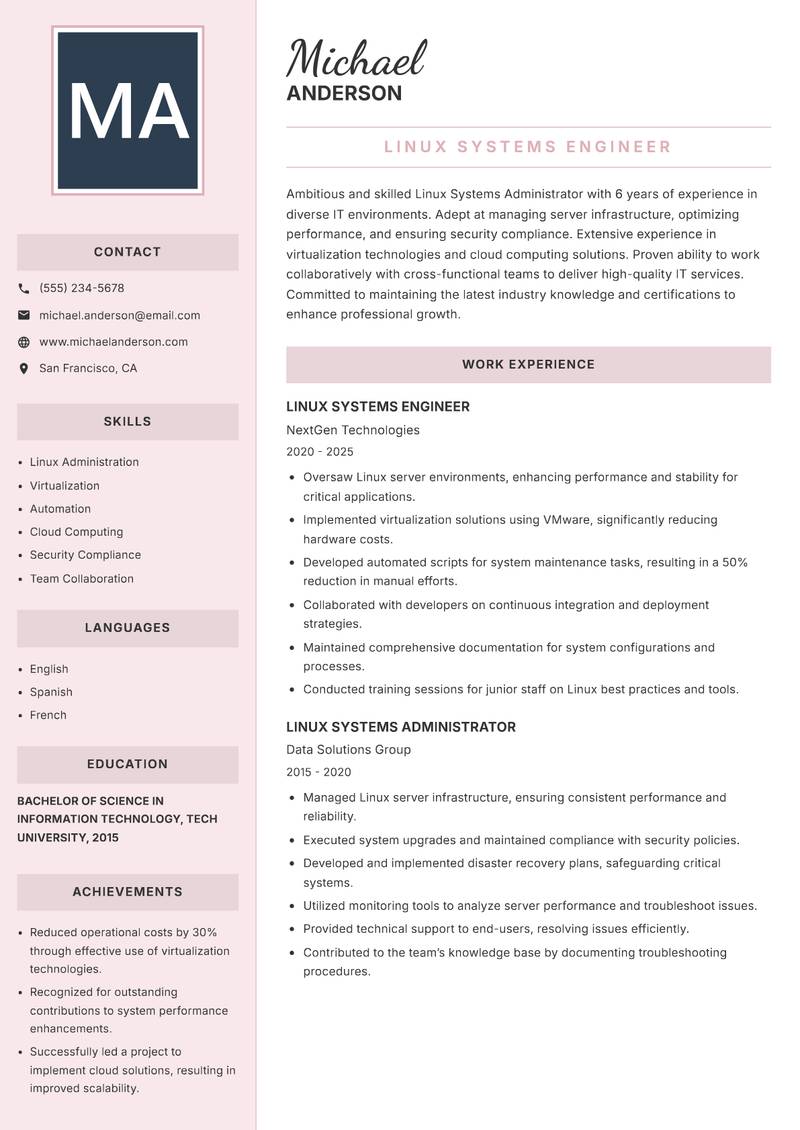
Driven and skilled Linux Systems Administrator with 6 years of experience in diverse IT environments. Adept at managing server infrastructure, optimizing performance, and ensuring security compliance. Extensive experience in virtualization technologies and cloud computing solutions. Proven ability to work collaboratively with cross-functional teams to deliver high-quality IT services. Committed to maintaining the latest industry knowledge and certifications to enhance professional growth. Passionate about driving innovation through automation and efficient system management practices.

Linux Administration Virtualization Automation Cloud Computing Security Compliance Team Collaboration
Linux Systems Administrator Resume Preview Example
View PDF
  1. Oversaw Linux server environments, enhancing performance and stability for critical applications.
  2. Implemented virtualization solutions using VMware, significantly reducing hardware costs.
  3. Developed automated scripts for system maintenance tasks, resulting in a 50% reduction in manual efforts.
  4. Collaborated with developers on continuous integration and deployment strategies.
  5. Maintained comprehensive documentation for system configurations and processes.
  6. Conducted training sessions for junior staff on Linux best practices and tools.
  1. Managed Linux server infrastructure, ensuring consistent performance and reliability.
  2. Executed system upgrades and maintained compliance with security policies.
  3. Developed and implemented disaster recovery plans, safeguarding critical systems.
  4. Utilized monitoring tools to analyze server performance and troubleshoot issues.
  5. Provided technical support to end-users, resolving issues efficiently.
  6. Contributed to the team’s knowledge base by documenting troubleshooting procedures.

Achievements

  • Reduced operational costs by 30% through effective use of virtualization technologies.
  • Recognized for outstanding contributions to system performance enhancements.
  • Successfully led a project to implement cloud solutions, resulting in improved scalability.
⏱️
Experience
2-5 Years
📅
Level
Mid Level
🎓
Education
Bachelor of Science in Informa...

Lead Linux Systems Administrator Resume

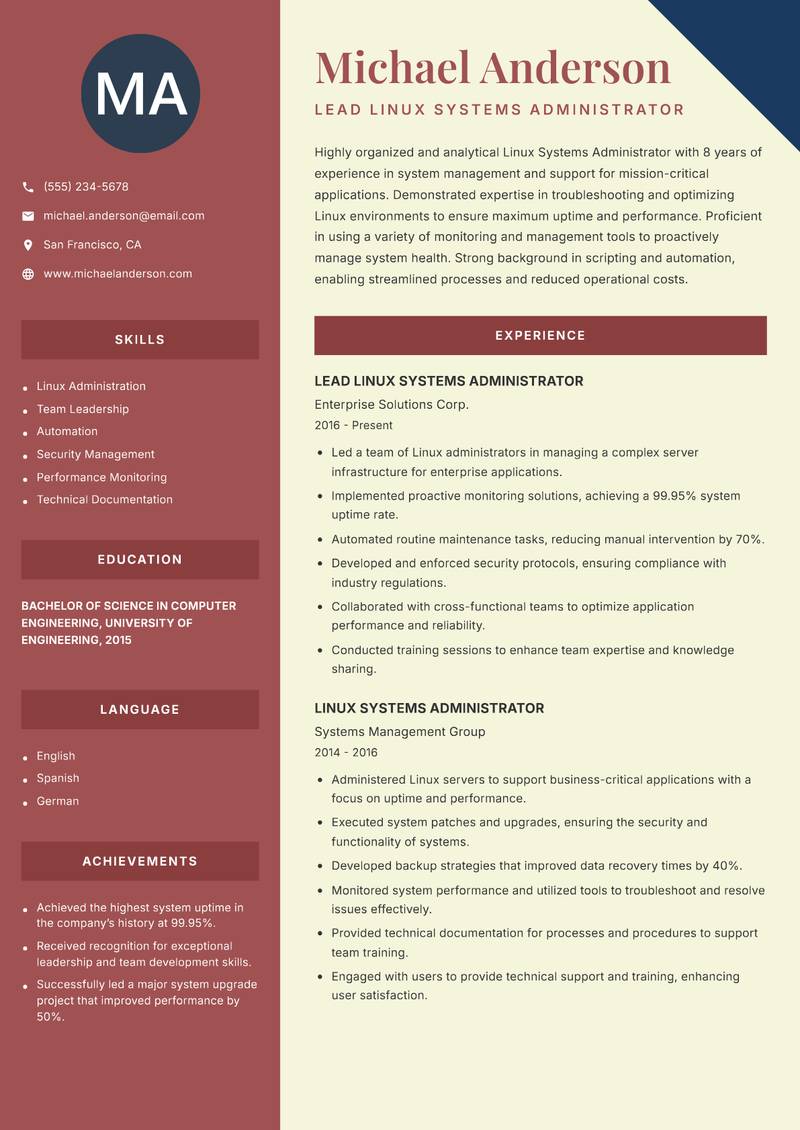
Highly organized and analytical Linux Systems Administrator with 8 years of experience in system management and support for mission-critical applications. Demonstrated expertise in troubleshooting and optimizing Linux environments to ensure maximum uptime and performance. Proficient in using a variety of monitoring and management tools to proactively manage system health. Strong background in scripting and automation, enabling streamlined processes and reduced operational costs. Committed to enhancing user experience through effective support and training initiatives. Passionate about staying current with emerging technologies and industry best practices.

Linux Administration Team Leadership Automation Security Management Performance Monitoring Technical Documentation
Linux Systems Administrator Resume Preview Example
View PDF
  1. Led a team of Linux administrators in managing a complex server infrastructure for enterprise applications.
  2. Implemented proactive monitoring solutions, achieving a 99.95% system uptime rate.
  3. Automated routine maintenance tasks, reducing manual intervention by 70%.
  4. Developed and enforced security protocols, ensuring compliance with industry regulations.
  5. Collaborated with cross-functional teams to optimize application performance and reliability.
  6. Conducted training sessions to enhance team expertise and knowledge sharing.
  1. Administered Linux servers to support business-critical applications with a focus on uptime and performance.
  2. Executed system patches and upgrades, ensuring the security and functionality of systems.
  3. Developed backup strategies that improved data recovery times by 40%.
  4. Monitored system performance and utilized tools to troubleshoot and resolve issues effectively.
  5. Provided technical documentation for processes and procedures to support team training.
  6. Engaged with users to provide technical support and training, enhancing user satisfaction.

Achievements

  • Achieved the highest system uptime in the company’s history at 99.95%.
  • Received recognition for exceptional leadership and team development skills.
  • Successfully led a major system upgrade project that improved performance by 50%.
⏱️
Experience
2-5 Years
📅
Level
Mid Level
🎓
Education
Bachelor of Science in Compute...

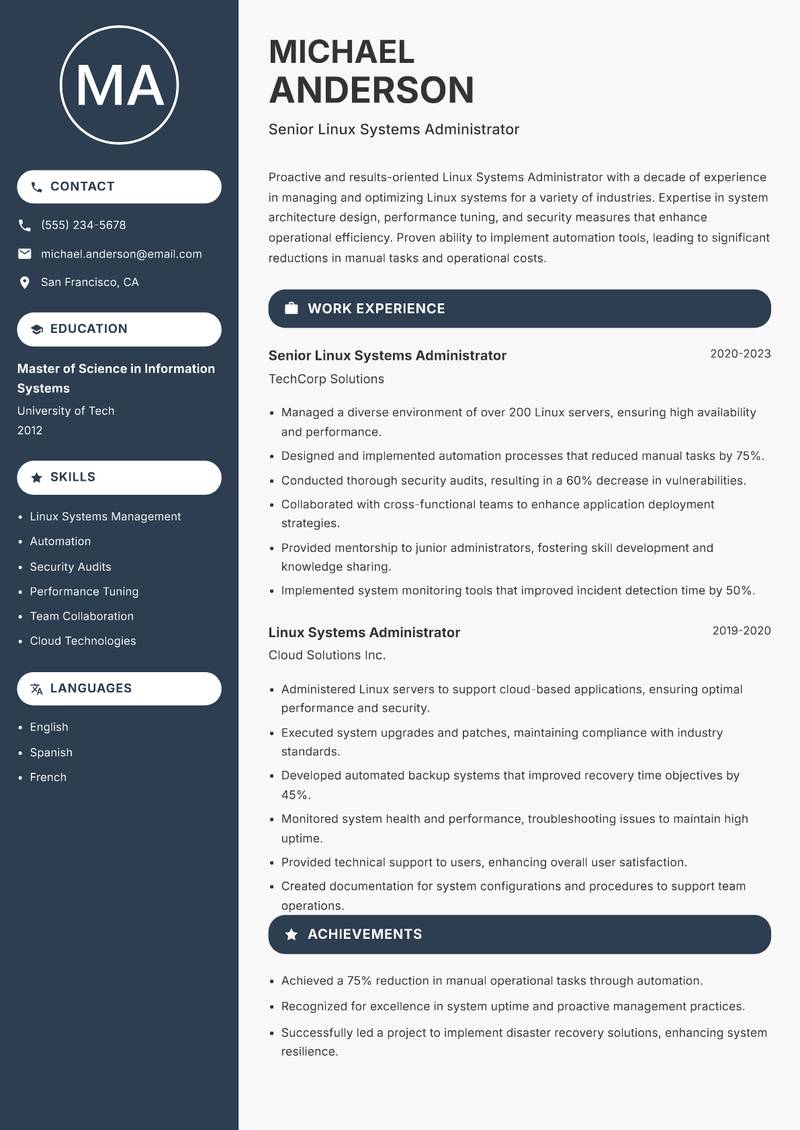
Senior Linux Systems Administrator Resume

Driven and results-oriented Linux Systems Administrator with a decade of experience in managing and optimizing Linux systems for a variety of industries. Expertise in system architecture design, performance tuning, and security measures that enhance operational efficiency. Proven ability to implement automation tools, leading to significant reductions in manual tasks and operational costs. Strong communicator with a knack for collaborating with technical and non-technical teams to achieve business goals. Eager to adopt new technologies and methodologies to drive continuous improvement and innovation in system management.

Linux Systems Management Automation Security Audits Performance Tuning Team Collaboration Cloud Technologies
Linux Systems Administrator Resume Preview Example
View PDF
  1. Managed a diverse environment of over 200 Linux servers, ensuring high availability and performance.
  2. Designed and implemented automation processes that reduced manual tasks by 75%.
  3. Conducted thorough security audits, resulting in a 60% decrease in vulnerabilities.
  4. Collaborated with cross-functional teams to enhance application deployment strategies.
  5. Provided mentorship to junior administrators, fostering skill development and knowledge sharing.
  6. Implemented system monitoring tools that improved incident detection time by 50%.
  1. Administered Linux servers to support cloud-based applications, ensuring optimal performance and security.
  2. Executed system upgrades and patches, maintaining compliance with industry standards.
  3. Developed automated backup systems that improved recovery time objectives by 45%.
  4. Monitored system health and performance, troubleshooting issues to maintain high uptime.
  5. Provided technical support to users, enhancing overall user satisfaction.
  6. Created documentation for system configurations and procedures to support team operations.

Achievements

  • Achieved a 75% reduction in manual operational tasks through automation.
  • Recognized for excellence in system uptime and proactive management practices.
  • Successfully led a project to implement disaster recovery solutions, enhancing system resilience.
⏱️
Experience
2-5 Years
📅
Level
Mid Level
🎓
Education
Master of Science in Informati...

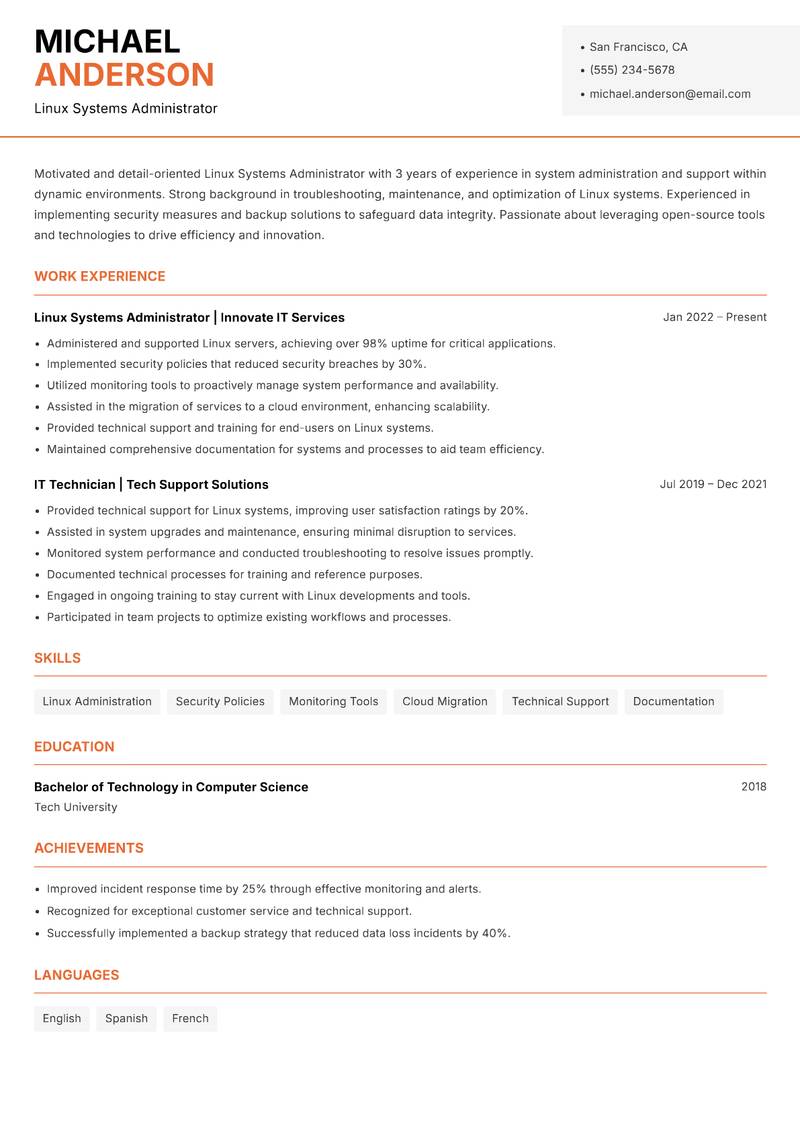
Linux Systems Administrator Resume

Driven and detail-oriented Linux Systems Administrator with 3 years of experience in system administration and support within dynamic environments. Strong background in troubleshooting, maintenance, and optimization of Linux systems. Experienced in implementing security measures and backup solutions to safeguard data integrity. Passionate about leveraging open-source tools and technologies to drive efficiency and innovation. Committed to continuous improvement and professional development, with a focus on expanding technical skills and industry knowledge.

Linux Administration Security Policies Monitoring Tools Cloud Migration Technical Support Documentation
Linux Systems Administrator Resume Preview Example
View PDF
  1. Administered and supported Linux servers, achieving over 98% uptime for critical applications.
  2. Implemented security policies that reduced security breaches by 30%.
  3. Utilized monitoring tools to proactively manage system performance and availability.
  4. Assisted in the migration of services to a cloud environment, enhancing scalability.
  5. Provided technical support and training for end-users on Linux systems.
  6. Maintained comprehensive documentation for systems and processes to aid team efficiency.
  1. Provided technical support for Linux systems, improving user satisfaction ratings by 20%.
  2. Assisted in system upgrades and maintenance, ensuring minimal disruption to services.
  3. Monitored system performance and conducted troubleshooting to resolve issues promptly.
  4. Documented technical processes for training and reference purposes.
  5. Engaged in ongoing training to stay current with Linux developments and tools.
  6. Participated in team projects to optimize existing workflows and processes.

Achievements

  • Improved incident response time by 25% through effective monitoring and alerts.
  • Recognized for exceptional customer service and technical support.
  • Successfully implemented a backup strategy that reduced data loss incidents by 40%.
⏱️
Experience
2-5 Years
📅
Level
Mid Level
🎓
Education
Bachelor of Technology in Comp...

Key Skills for Linux Systems Administrator Positions

Resume Tips for Linux Systems Administrator Applications

Strong Action Verbs for Linux Systems Administrator Resumes

Resolved · Administered · Configured · Deployed · Maintained · Troubleshooted · Automated · Upgraded · Migrated · Documented · Achieved · Analyzed · Architected · Assessed

Common Mistakes to Avoid

Experience Levels

How to Write a Linux Systems Administrator Resume

Browse Linux Systems Administrator resume examples built around help desk & End-User support, tailored for IT Support & Systems roles.

A strong Linux Systems Administrator resume leads with a focused professional summary that names the exact role and your standout achievement. In the experience section, open every bullet with a strong action verb and quantify the result with numbers wherever possible. Highlight your most relevant competencies — especially Help Desk & End-User Support, Active Directory & Group Policy, and Windows / Linux Server Administration — in a dedicated Skills section positioned early so ATS systems and hiring managers both find it immediately.

For format, most Linux Systems Administrator roles suit a reverse-chronological layout: most recent position first, working backwards. Keep to one page for under five years of experience, or two pages for senior candidates with a rich project or leadership history. Use clean, ATS-safe fonts (10–12pt), standard section headings (Summary, Experience, Education, Skills), and avoid tables, text boxes, or multi-column layouts that applicant tracking systems cannot parse reliably.
Frequently Asked Questions

What makes a strong Linux Systems Administrator resume stand out to employers?

A standout Linux Systems Administrator resume combines role-specific skills with quantified achievements. Name the exact job title in your professional summary, mirror keywords from each job posting, and open every bullet point with a strong action verb followed by a measurable result. Certifications, tools, and domain experience specific to linux systems administrator roles should appear prominently near the top.

What skills are most important to include on a IT Support & Systems resume?

Recruiters hiring in IT Support & Systems consistently look for Help Desk & End-User Support, Active Directory & Group Policy, Windows / Linux Server Administration, Network Troubleshooting & Configuration. List these in a dedicated Skills section near the top so both ATS systems and human reviewers spot them fast. Mirror the exact phrasing from each job posting wherever possible — many applicant tracking systems match literal strings rather than synonyms.

What is the best resume format for IT Support & Systems professionals?

A reverse-chronological format is the standard choice for most IT Support & Systems candidates — employers expect to see your most recent role first, working backwards. If you are transitioning into IT Support & Systems from a related field, a hybrid format (brief skills summary at the top followed by chronological experience) can bridge the gap effectively. Keep the document to one page for under five years of experience, or two pages for senior specialists.

How do I make my IT Support & Systems resume pass applicant tracking systems (ATS)?

Use standard section headings — Summary, Experience, Education, Skills — rather than creative labels that ATS parsers do not recognise. Embed domain keywords such as "Help Desk & End-User Support" and "Active Directory & Group Policy" naturally inside your experience bullets rather than cramming them into a standalone keyword list. Avoid tables, multi-column layouts, text boxes, headers, footers, and images — these confuse most modern parsers and can cause your resume to be misread or rejected before a human sees it.

What mistakes do IT Support & Systems professionals most commonly make on their resume?

The most frequent issue is omitting response time and SLA metrics — operational roles are judged on performance data. Beyond that, generic objective statements, unquantified achievements, and inconsistent date formatting appear across almost every IT Support & Systems application. Fix these by replacing every vague claim with a measurable outcome — specific numbers and named projects add credibility that adjectives cannot.

How long should a IT Support & Systems resume be?

One page is appropriate for candidates with under five years of relevant IT Support & Systems experience. Two pages are acceptable — and sometimes expected — for senior specialists, managers, or professionals with a strong portfolio of projects, publications, or credentials. Avoid padding to reach a page count: every line should directly support your application for the specific role you are targeting.

Should I include a professional summary at the top of my IT Support & Systems resume?

Yes — a two to three sentence summary is the first section most recruiters read. Open with your title and years of IT Support & Systems experience, then name your most relevant achievement or specialisation. One proven approach: Quantify support metrics: ticket resolution time, SLA compliance rate, end-user satisfaction scores — this level of specificity signals genuine expertise before a recruiter reaches your experience section.

Scroll to view samples